




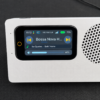
Build Your Own Wi-Fi Internet Radio
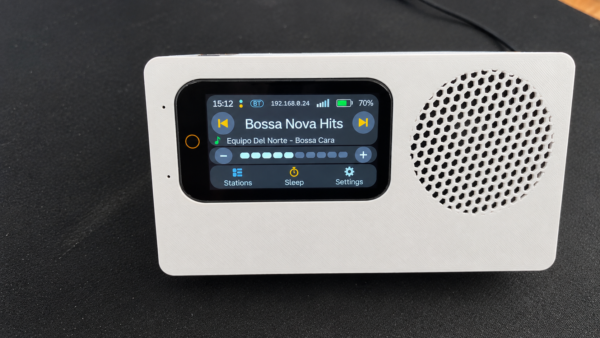
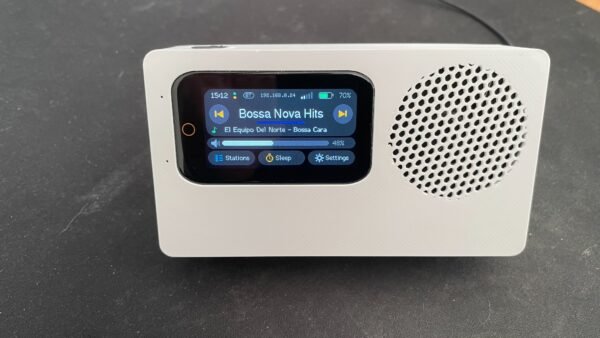
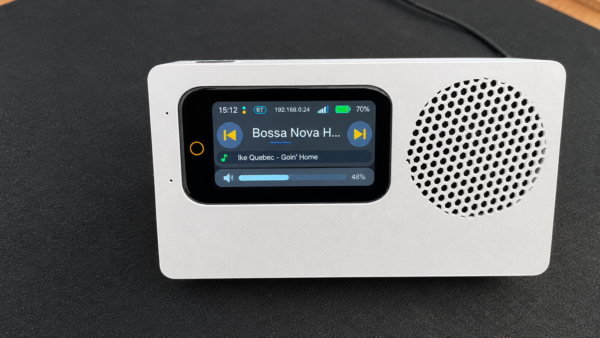
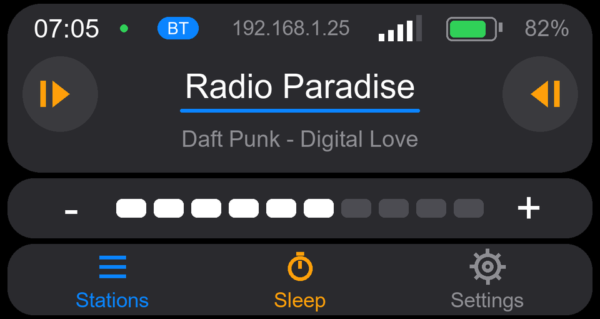
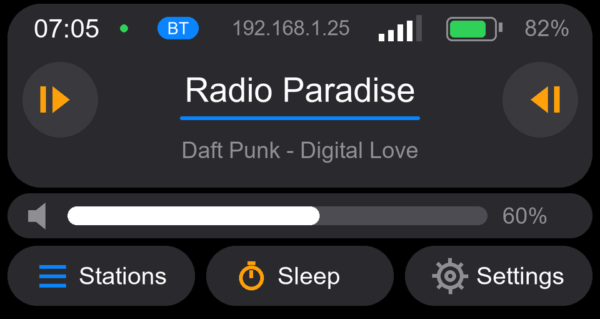
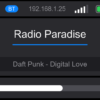
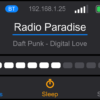
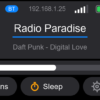
Turn your LILYGO T-Display S3 into a fully featured Wi-Fi Internet Radio with touchscreen control, Internet radio station search, favorite stations, and a convenient Web User Interface (you can use both the toouch and non-touch versions of the Lilygo T-Display S3).
Listen to thousands of Internet radio stations from around the world for free, save your favorites, and control your radio directly from the touchscreen or remotely from your phone, tablet, or computer.
Easy DIY build — just 3 small electronic modules and 2 wires are required to get started: Simple Config.
No programming knowledge is required.
✨ Features
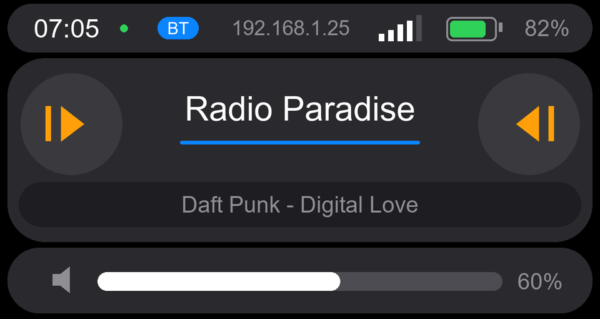
- 🎧 Touchscreen control — browse stations, control playback, and adjust volume directly from the radio.
- 🌍 Internet radio station search — search for stations from around the world directly from the radio.
- ⭐ Up to 1000 favorite stations — save and manage your favorite stations.
- 📱 Web User Interface — control your radio from any phone, tablet, or computer connected to the same Wi-Fi network.
- 🔊 I2S digital audio — compatible with I2S DACs and digital amplifiers such as the MAX98357A and PCM5102A.
- 📶 2.4 GHz Wi-Fi — connect to your wireless network and stream Internet radio.
- 🎵 Audio formats — MP3, AAC, and OGG/Vorbis, Flac.
- 🚀 Streams up to 320 kbps.
- 🌐 Wide language support — English, Greek, Latin-based languages, Cyrillic, Hebrew, and Arabic.
- 🔋 DIY-friendly — build a portable or stationary radio using the hardware and components you choose.
🌐 Language Support for Station Names
The firmware supports station names in:
- English
- Greek
- Latin-based languages (Polish, French, German, Spanish, and many more)
- Cyrillic-based languages
- Hebrew
- Arabic
🎵 Build It Your Way
The firmware gives you the freedom to design your own Internet Radio.
Choose the DAC, amplifier, speaker, battery, enclosure, and power system that suit your project.
Build a compact portable radio, a larger home radio, or create your own completely custom design.
🛠️ Firmware Installation in 3 Simple Stages
Firmware installation is done through a dedicated Web User Interface Internet Radio installer.
Once installation is complete, restart the board and your Internet Radio is ready to use.
📚 Hardware Installation Instructions
Click here for the hardware installation instructions and tutorials.
🔐 Secure Firmware & Free Updates
The initial installation securely configures your LILYGO T-Display S3 specifically for your radio. This helps protect the firmware from unauthorized copying or use on other systems.
All future firmware updates are free.
Future updates are also handled through the same Web User Interface:
- Open the Web User Interface.
- Select Firmware Update.
- The radio downloads and installs the latest update automatically over the air (OTA).
No USB connection or manual flashing is required for future firmware updates.
📦 What You Receive
Your purchase includes:
- Internet Radio firmware
- Web User Interface for firmware installation
- Installation instructions and tutorials
- Free future firmware updates
🔧 What You Need
This is a firmware-only product for DIY Internet Radio projects. Hardware is not included.
You will need:
- LILYGO T-Display S3 — the firmware is specifically designed for this board
- I2S-compatible DAC and amplifier (such as Max98357a or equivalent)
- Suitable speaker
- USB-C 5V phone charger or/and one 18650 Li-ion rechargeable battery
- Wi-Fi connection (2.4 GHz)
- Desktop computer with Google Chrome or Microsoft Edge for the initial installation
- USB-C data cable
You are free to choose your own audio hardware, power system, enclosure, and other components.
⚠️ Important Notes
- The radio is powered by one 18650 3.7V Li-ion rechargeable battery. The 18650 Li-ion battery is not included. Due to regulations governing the air shipment of lithium-ion batteries, we do not ship batteries with the radio. Packages are inspected by X-ray before being loaded onto flights, and if a battery is found, the package is returned to the sender.
- The radio was designed to use a 3.7V 18650 Li-ion rechargeable battery. Use a standard, unprotected, flat-top 18650 cell. Do not use protected batteries or batteries with a raised/button-top (+) terminal as they will not fit inside the enclosure. Recommended battery Samsung INR18650-35E 3450mAh 8A.
- The radio can also operate directly from the USB-C power connection without a battery installed.
- Do not use a fast charger or USB-C Power Delivery (PD) charger. Use only a standard 5V USB-C mobile phone power charger.
- If you choose to use a battery, please use a high-quality, compatible 18650 Li-ion cell from a reputable supplier and follow the battery manufacturer’s safety instructions.
- When a charger is connected a red LED on the left side of the radio (close to the USB-C connector) will shine brightly. Only when the RED led turns off it means that the battery is fully charged.
- Some streaming services using HLS/DASH formats may not be supported.
Demo Videos
Demo videos can be found on The MicroMaker YouTube channel:


Simple Setup and Great Firmware –
The firmware was very easy to install, and the instructions were clear and straightforward. Once installed, the radio worked perfectly and was ready to use.
Max –
I was pleasantly surprised by the firmware. It is easy to use, works very well, and has many useful features. Everything feels well thought out. Definitely exceeded my expectations
Tracy –
Ari has been SO helpful. I decided I wanted to use a slightly larger speaker and baffle I had harvested from an old bluetooth speaker so designed a larger enclosure. This also had room for 2×18650 cells. The firmware was easy to upload and works really well. I might end up adding a rotary encoder as I do find the small touch screen a bit fiddly for my big fingers 🙂